
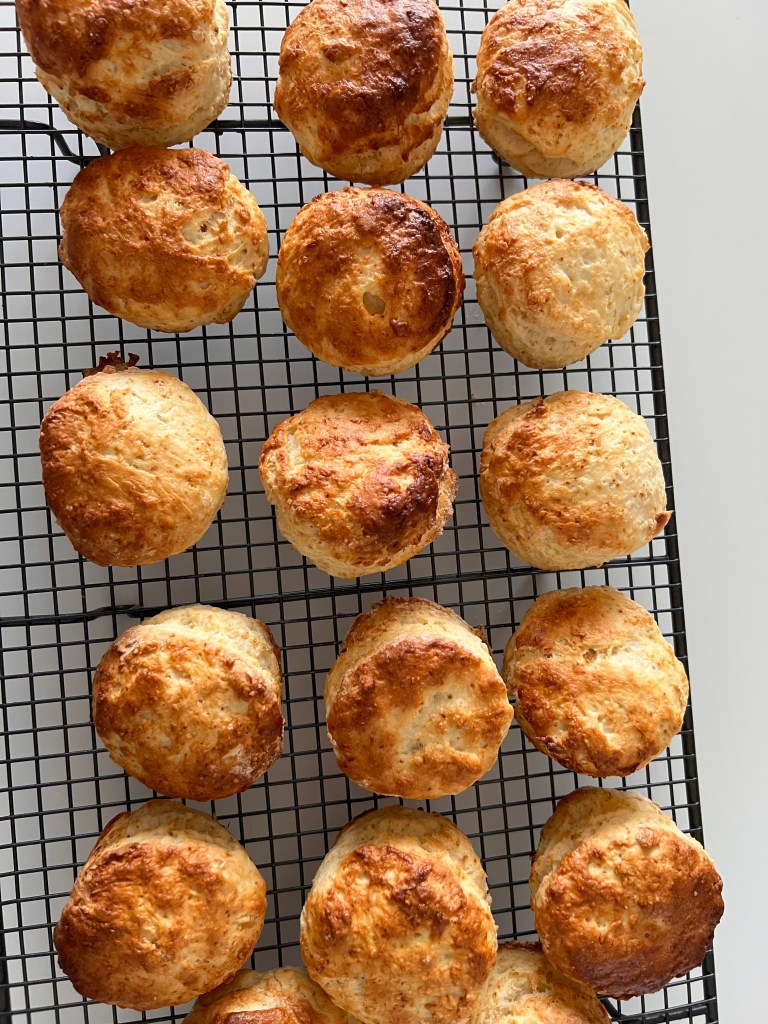
I didn’t expect to spend the day after International Day back in the kitchen, but there I was, making scones for the second time in one weekend.
Not because we ran out on International.
Not because guests were coming.
But because not a single person in our family actually ate one on International Day itself.
They were baked, displayed, admired, and then completely ignored by the people who made them. So the next day, I made another batch. And honestly, I forgot how easy scones are to make.
I’ve incorporated some simple, reliable tips for making good scones into the recipe I’ve shared later in this post. Nothing fancy, just gentle handling and not overthinking it.
While the scones baked, I found myself reflecting on International Day as a whole, especially how much AI quietly supported the planning and preparation behind the scenes.
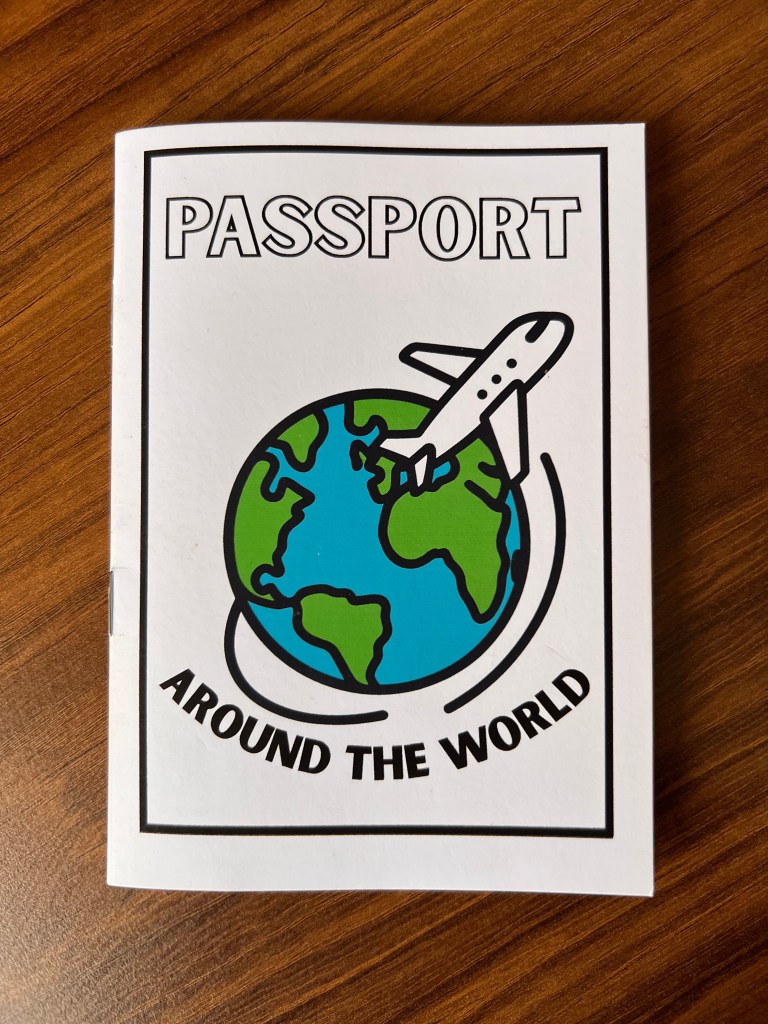
International Day Passports
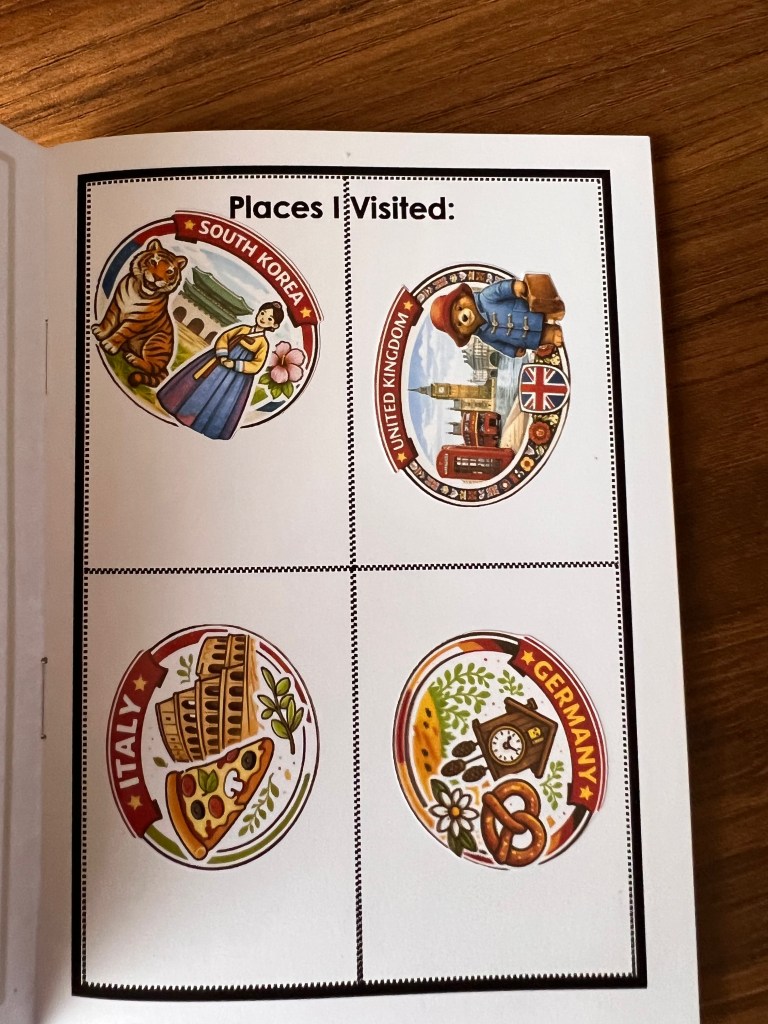
One of the unexpected highlights of International Day was the passports and passport stamp stickers. They were loved by everyone, including students, parents, teachers, and adults who absolutely did not need a sticker but wanted one anyway.
AI helped me in three main ways.
First, it allowed me to generate country themed concepts quickly.
Second, it made it easy to iterate designs without starting from scratch.
Third, it helped keep visuals playful, inclusive, and consistent.
The final designs felt cohesive and joyful, and ultimately very collectible.
The Sticker Prompt I Used
If you are curious or planning something similar, this is the kind of prompt that worked well.
AI Sticker Prompt (Passport-Style)
Create a colorful passport-style sticker for [COUNTRY NAME].
Use bold, friendly shapes and simple iconic imagery (landmarks, animals, cultural symbols).
Style should be playful, inclusive, and child-friendly, with thick outlines and bright but balanced colors.
Circular or stamp-shaped design, suitable for printing as a small sticker.
Include the country name in clear, friendly lettering.
Clean background, high contrast, joyful tone.
From there, I refined everything in Canva so the stickers, passports, and visuals all felt cohesive and print-ready.
Playlists: A Win, With Notes for Future Organizers
Music always matters on International Day. This year, I used AI to help generate a playlist that reflected our diverse community. The music was clean, upbeat, and suitable for little ears.
It worked well, but for future organizers, I would gently suggest two things.
Invite community members to share song ideas earlier in the planning process.
Consider using a YouTube playlist instead of Spotify, as it often makes culturally diverse music easier to find and share.
AI is excellent for getting started quickly. Community input is what gives it heart.
Keeping Everything in One Place
Behind the scenes, Canva was my organizational anchor. I kept everything in one place, including a shared planning spreadsheet, a working spreadsheet to track country tables and their needs, passport and sticker templates, and social media posts.
This made updates faster and collaboration easier. Most importantly to me, it created an institutional memory where everything is ready to be passed on. When events change hands, clear and accessible materials matter.
AI in the Kitchen Too
With AI saving me time on tasks that would normally take an enormous amount of energy, I felt able to host a table for the first time in four years, despite fighting off all the winter illnesses flying around.
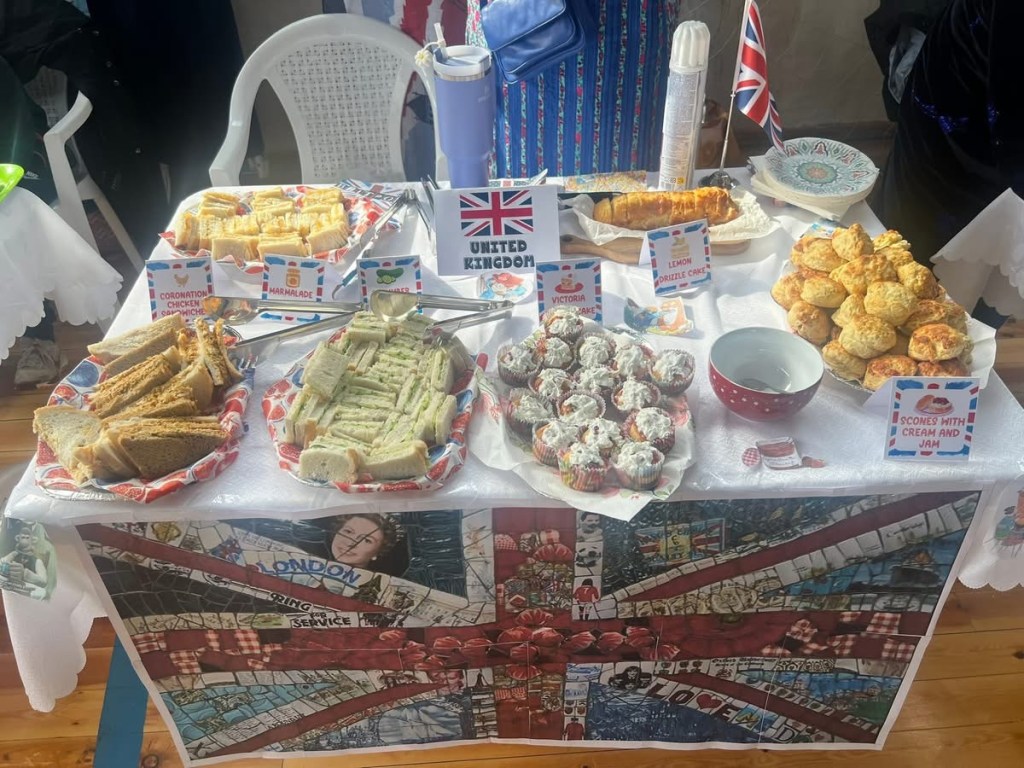
AI supported me in the kitchen through Afternoon Tea inspired menu planning, recipe generation and comparison, recipe scaling, and shopping lists.
The feedback told a great story.
Cucumber sandwiches were a surprise hit. One parent came back for more because they were the only thing their children would eat all day. With food from twenty two countries, this was a delightful surprise.
Marmalade sandwiches sparked a lot of love for Paddington Bear.
Lemon drizzle cake was not everyone’s first choice, but those who tried it came back again and again. One person came back five times.
Coronation chicken was the most labor intensive dish. I had never made it from scratch before, and I am glad I did. The flavour was a delicate balance of warm spices with a subtle sweetness from a surprise ingredient, apricot jam. We made plenty of sandwiches and still had filling left over, but like any good curry, the flavour only improved with time.
Scones sparked a lot of nostalgia, especially among adults who had lived in or visited the UK. They also became a discussion point about how to eat them for those encountering scones for the first time.
AI did not replace judgment. It helped me refine my ideas quickly and plan more realistically, saving me a lot of time.
The Recipes
Scones
Ingredients
- 2 cups self raising flour ( or 2 cups all purpose flour plus two and a half teaspoons baking powder)
- 1/4 cup sugar
- 1/4teaspoon salt
- 1/4cup cold butter, cubed
- 1 egg
- 2 to 3 tablespoons apricot jam
- 2/3 cup milk, using most in the dough and keeping a little back for glazing.
Method
Heat the oven to 220 degrees Celsius or 425 degrees Fahrenheit.
In a bowl, mix the flour, sugar, and salt.
Rub the cold butter into the dry ingredients until the mixture resembles coarse crumbs.
In a jug, whisk together the egg, apricot jam, and milk.
Add the wet mixture to the dry ingredients, keeping a small amount aside for glazing, and gently bring together into a soft, slightly scrappy dough.
Turn out onto a lightly floured surface. Press down gently, cut into quarters, stack the layers, then press down again.
Cut with a straight sided cutter, a glass, or in my case a spice tin.
Brush the tops with the reserved milk mixture.
Bake for 12 to 15 minutes until well risen and golden.
Handle gently and avoid overworking the dough. These freeze beautifully, so doubling the recipe is worth it.
Lemon Drizzle Cake
Ingredients
- 1 1/2 cup all purpose flour
- 1 teaspoon baking powder
- 1/4 teaspoon salt
- 1/2 oil or softened butter, I used butter for a richer flavour
- 1 cup sugar
- 2 eggs
- 1/2 cup milk
- Zest of 2 lemons
Drizzle
- 1/4 cup lemon juice
- 1 /4 quarter cup sugar
Method
Heat the oven to 180 degrees Celsius or 350 degrees Fahrenheit.
Cream the butter and sugar, then beat in the eggs.
Fold in the flour and lemon zest.
Bake for 40 to 45 minutes until a skewer comes out clean.
While warm, pour over the lemon drizzle.
Not flashy, but clearly worth a second slice.
What AI Really Gave Me
AI did not make International Day magical.
People did.
But it gave me time, clarity, and breathing room to focus on the details that mattered, respond thoughtfully to feedback, and leave behind resources that future organizers can build on.
And it gave me enough headspace to make another batch of scones the next day, this time just for us.
That feels like a pretty good place to end.




 Honor Learners