
If you had told me a year ago that I’d be coding my own games for class, I probably would have laughed. My experience with coding has been fairly limited: introducing my young students to Scratch Jr., and during lockdown, diving into creating Pixel Art Reveals using Google Sheets – a skill I picked up through many helpful YouTube tutorials and online workshops offered by generous educators. Since then, I’ve admired the potential of educational tech, engaging with it in various ways, but coding felt like a different realm – until recently, when Canva Code offered an opportunity to step back in.
With no real coding experience, I started small: a matching game to review telling time, connecting analogue clocks with digital time. I designed it with three levels of increasing difficulty, and to make it even more engaging, I added a Pac-Man style reward game after each level. In true coding spirit, the game took several iterations to get right—and I quickly learned the value of thorough testing before sharing with students. But the result? It felt like pure magic. My students were genuinely engaged, and their excitement inspired me to keep going.
Next, I created a 2D shape matching game, where students matched shape names with their attribute descriptions. I was inspired by Classnotes with Nicole (I recommend checking out her blog because she shares a free guide to creating Canva Code games and her EASY prompt is really helpful). It was a simpler build—time was tight—but it worked beautifully as a review tool, especially for my multilingual learners who benefit so much from that extra vocabulary support. Seeing them light up as they successfully matched the visuals with the words just hammered home what I already knew: games aren’t just a bit of fun; they’re seriously powerful learning tools in disguise.
With two games under my belt, I wanted to try something new. As we approach the end of the year, building confidence in mental math is a key focus. So I asked Canva Code to help me create a 2-player tic-tac-toe game—with a twist. Before each move, students must solve a 2-digit addition or subtraction problem (within 100). Get it right, take your turn. Get it wrong, skip your turn. First to three in a row wins.
Now, the first attempt wasn’t exactly flawless – sneaky players could still try to click on a spot that was already taken. So, back to Canva Code I went, and like magic, it was fixed! Then, because every winner deserves a celebration, I added a burst of confetti for the champion and a clear, friendly landing page with all the instructions. The whole thing came together in under 20 minutes. Seriously! It’s quick, totally tailored to what my students need, and reusable – a far cry from those elaborate escape rooms I used to spend hours crafting that got played exactly once.
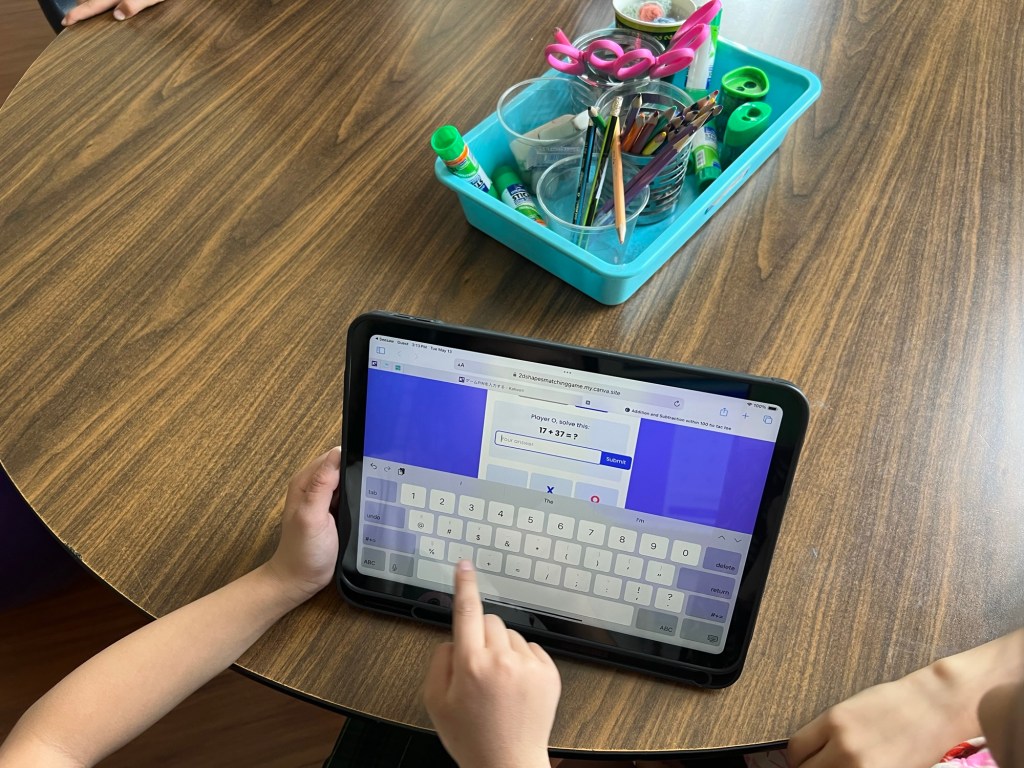
The amazing Canva Code – along with a whole bunch of other super cool new features – will be released very soon! In fact, I even saw a post today hinting that some users (beyond the original first million) might already have access! It’s genuinely thrilling to think about how many more educators will soon have these incredible tools at their fingertips, making it so easy to design, tweak, and bring their awesome classroom ideas to life.
In the meantime, if you’re curious to see what I’ve created so far, feel free to dive in:
🎯 Memory Game for Teaching Time
🔷 2D Shapes Matching Game
➕➖ Addition & Subtraction Tic-Tac-Toe
This shift has been more than just practical—it’s been empowering. Canva Code has allowed me to build games tailored to my learners’ needs, in real time. And the best part? Their reactions. One student said it best:
“I wonder what she’ll ask Canva to code next?”
Learning is fun. And when I’m learning alongside my students, it becomes something even more powerful: joyful, shared discovery.

 Honor Learners